
Do Android Phones Need Virus Protection?

In the digital age, the need for virus protection on Android phones is a pressing issue. Although Android has built-in protections like Google Play Protect and regular security updates, these features alone may not be enough for all users. Those who download apps from third-party sources or have older devices might be at greater risk of malware infections. Expert opinions vary; while some advocate for third-party antivirus due to potential vulnerabilities, others argue that cautious browsing habits can suffice.
Ultimately, whether you choose additional antivirus software or rely on Android's existing defenses depends largely on your individual usage patterns and sensitivity to security threats.
Understanding Android Security

Credits: shutterstock.com
Android security is a multifaceted subject that encompasses various layers of protection built into the operating system. At the core of Android's defense is Google Play Protect, which continuously scans installed apps for malicious behavior and alerts users to potential threats. This service is crucial because it helps identify harmful apps before they can cause damage.
Additionally, Android devices receive regular security updates that patch vulnerabilities, although the frequency of these updates can vary significantly between manufacturers and device models. For instance, flagship devices from prominent brands may receive timely updates, while older or budget devices might lag behind, leaving them more susceptible to attacks.
Another essential feature is Safe Browsing, which operates within the Google Chrome browser. It protects users by warning them about dangerous websites and downloads, effectively reducing the risk when surfing the web. Furthermore, Android allows users to manage app permissions, giving them control over what apps can access, which is vital for safeguarding personal data.
Despite these measures, Android users still face risks, especially if they download apps from third-party sources, which are not scanned by Play Protect. This highlights the importance of safe downloading practices and raises the question of whether additional antivirus software is necessary for enhanced security.
Built-in Protections
Android phones come with several built-in protections to help keep users safe from malware and viruses. One of the key features is Google Play Protect, which continuously scans apps for harmful behavior and checks for issues during installation. It even monitors apps from third-party sources, although downloading from outside the Google Play Store can still pose risks.
Another important aspect is the regular security updates that Android devices receive. These updates help fix vulnerabilities and improve security, but their effectiveness can vary depending on the manufacturer and how quickly they release updates. Older devices might not receive updates in a timely manner, leaving them more susceptible to attacks.
Additionally, Android includes Safe Browsing, a feature in the Google Chrome browser that warns users when they encounter potentially dangerous websites or downloads. This can prevent users from inadvertently visiting malicious sites that could compromise their device's security.
App permissions also play a crucial role in Android's security. Users can control what information and features each app can access, allowing them to limit exposure to potential threats. For example, if an app requests access to your contacts without a clear reason, you can deny that permission to protect your privacy.
While these built-in protections are robust, they are not foolproof. Users must still exercise caution, especially when downloading apps or browsing the internet.
Do You Need Third-Party Antivirus Software?
Credits: pandasecurity.com
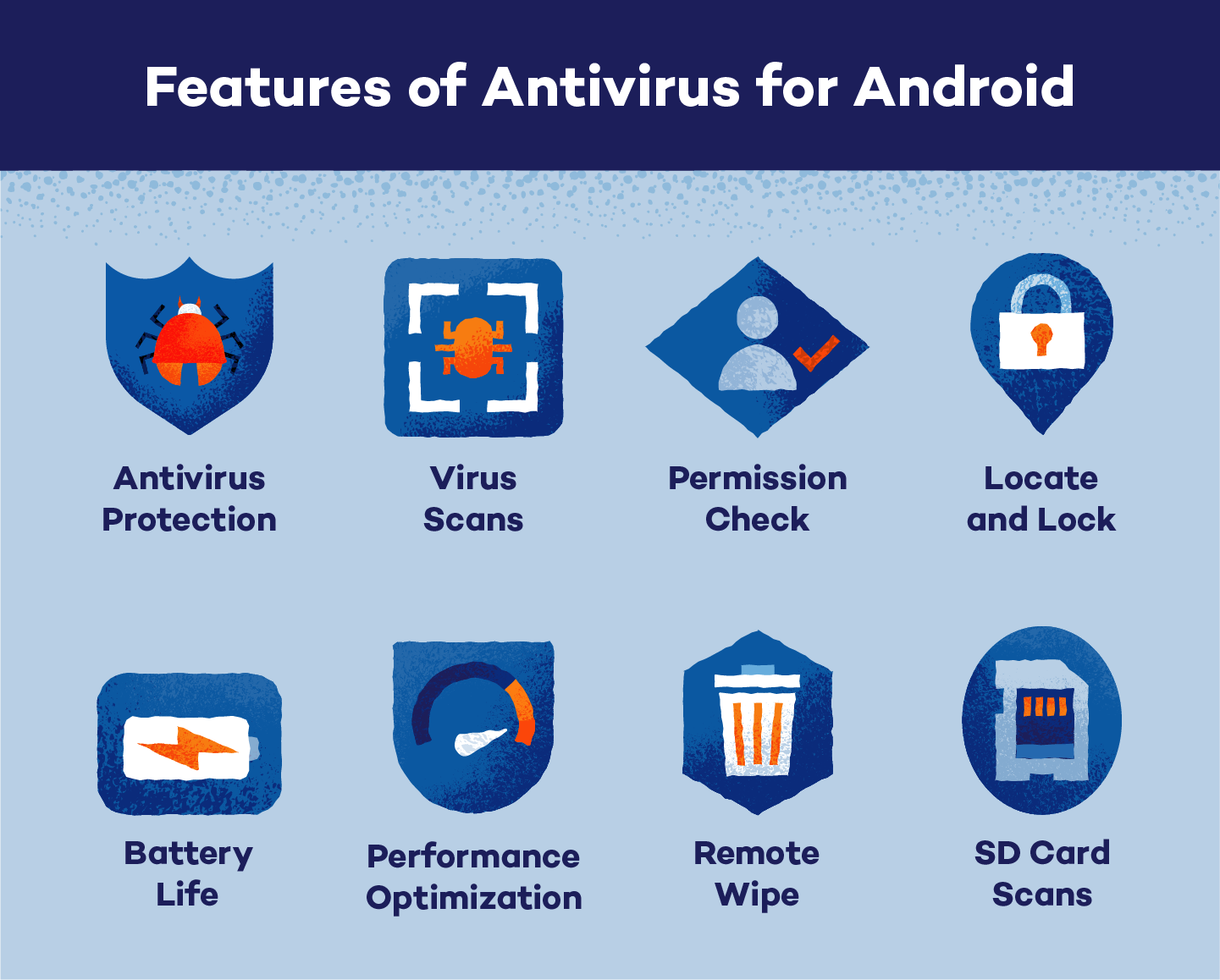
While Android devices come with built-in security features, whether you need third-party antivirus software depends on how you use your phone. If you often download apps from places other than the Google Play Store or click on questionable links, having antivirus software might be a smart choice. These apps can scan for malware that Google Play Protect might miss, especially since it doesn’t scan sideloaded apps.
Older devices or those from manufacturers that don’t provide regular updates can also benefit from additional protection. Security updates are crucial, and if your device isn’t getting them, it can be more vulnerable to attacks. Users who keep sensitive information, like banking details or personal documents, on their phones should consider antivirus software as an extra layer of defense against potential breaches.
Rooted devices can be particularly at risk because rooting often disables some of the built-in security measures. In such cases, antivirus apps can help secure the device from various threats that could exploit these vulnerabilities.

Expert Opinions
The debate surrounding antivirus necessity on Android is varied among experts: some experts, like those from Panda Security, stress the importance of antivirus software for Android due to its open-source nature, which can make it more susceptible to malware compared to other platforms. They argue that while built-in protections exist, they may not be sufficient for all users, particularly those with higher security needs.
Conversely, articles from sources like How-To Geek and WIRED suggest that for the average user who practices safe browsing habits—downloading only from the Play Store and avoiding suspicious links—antivirus apps may be unnecessary. They highlight that many antivirus applications on the Play Store do not effectively detect malware and can drain device resources.
Research conducted by AV-Comparatives indicates that while some antivirus apps perform well, many do not provide adequate protection against malware. In their studies, only a small percentage of antivirus apps demonstrated competent detection rates, emphasizing the need for caution when selecting security software.
Recent Trends and Statistics

Credits: securelist.com
Recent statistics reveal a concerning trend in Android malware threats. According to AV-Comparatives, thousands of new malicious apps are introduced each year, highlighting the ever-evolving landscape of mobile security risks. In fact, over 121 million Americans currently use third-party antivirus programs to protect their devices, indicating a strong demand for additional security measures.
Furthermore, the rise of sophisticated phishing attacks targeting mobile devices has made users more vulnerable, underscoring the importance of vigilance. This data suggests that while many Android users may feel secure with built-in protections, the reality is that the threat of malware remains significant, especially for those who engage in risky online behaviors.
Increase in malware targeting Android devices
Rise in phishing attacks via apps and SMS
Growth of mobile banking trojans on the Android platform
Surge in the use of VPNs by Android users for security
Data breaches involving Android apps happening frequently
More than 50% of Android users do not use any additional virus protection
Increasing awareness and concern among users about mobile security
Final Thoughts on Android Virus Protection
In the end, whether Android phones need virus protection often comes down to individual circumstances. Users who stick to safe practices, such as only downloading apps from the Google Play Store and avoiding suspicious links, may find the built-in protections sufficient.
However, those who sideload apps, use older devices, or store sensitive information should seriously consider adding antivirus software. For instance, someone who frequently shops online or manages financial transactions through their phone would benefit from the extra security that antivirus apps can provide. The landscape of mobile threats is constantly changing, making it crucial for users to stay informed about potential risks and to assess their own security needs.
Frequently Asked Questions
1. Can Android phones get viruses like computers?
Yes, Android phones can get viruses and malware just like computers, especially if you download apps from untrusted sources.
2. Do I really need antivirus software on my Android phone?
While many Android phones have built-in security features, using antivirus software can provide extra protection against threats.
3. How can I tell if my Android phone has a virus?
Signs of a virus on your Android phone can include slow performance, unexpected ads, apps shutting down, or unfamiliar apps appearing.
4. What should I do if I think my Android phone has a virus?
If you suspect a virus, you should run a virus scan using an antivirus app, uninstall suspicious apps, and consider resetting your phone.
5. Are free antivirus apps effective for Android devices?
Free antivirus apps can offer basic protection, but paid versions usually provide more comprehensive features and better security.
Conclusion:
The need for virus protection on Android phones depends on individual usage and security needs. Android's built-in protections, like Google Play Protect and regular security updates, offer a solid defense for many users.
However, those who frequently download apps from outside the Play Store, use older devices, or store sensitive information might benefit from third-party antivirus software.
Expert opinions vary, with some advocating for antivirus use while others suggest it's unnecessary for cautious users. Staying informed about security threats and practicing safe browsing habits is crucial.

Viola R. Daigle
I'm Viola R. Daigle, a dedicated Internet Marketer. I work with WarriorPlus as a Vendor and Affiliate, and I’m also an Affiliate on JVZoo and Legendary Marketer. My passion is to provide honest and detailed reviews of Internet Marketing (IM) products and software. I love helping people choose the right tools and strategies to grow their online business with confidence.